(brief)
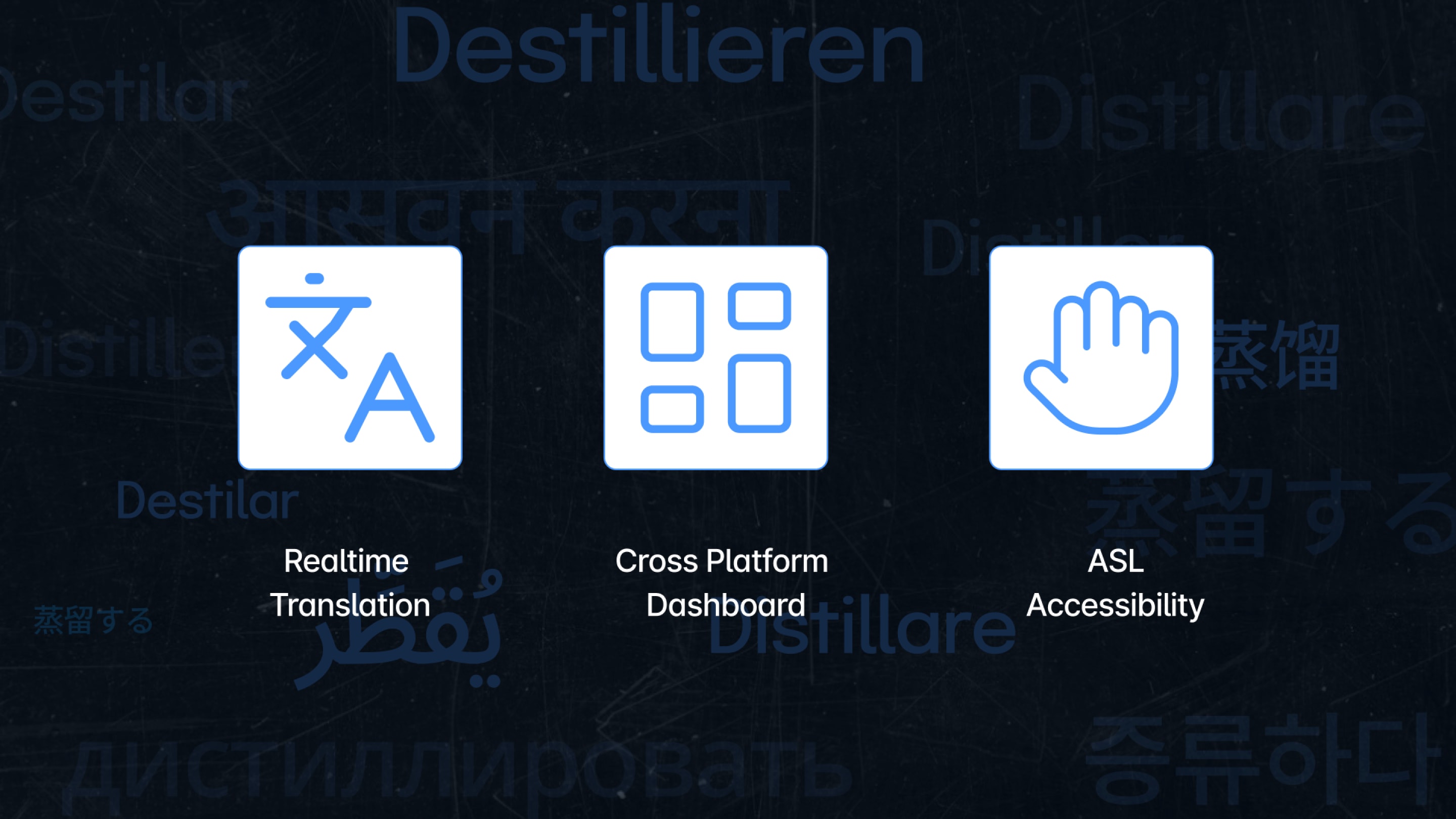
Distill is a Chrome extension that listens to your active tab, translates the audio into 16 languages at once, and streams live ASL visual cards on top of any site. Built in 36 hours at HackAZona, it won the Microsoft Track.
(my role)
I designed the whole interface in the 36-hour window: the extension panel, the language tokens, the toggles, the floating captions, and the ASL card system, then tested it live on real lectures while my three teammates built the Azure pipeline.
(the problem)
Lectures, meetings, and videos happen in real time. If you are deaf, hard of hearing, or still learning the language, you are behind from the first sentence. Captions, when they exist at all, come in one language and never in ASL.
Accessibility tools only matter if they keep pace with real speech. Most live-caption extensions treat the interface as an afterthought: they clutter the screen, cover the video, and break the page underneath. For Distill, the layout is the product.
(1)
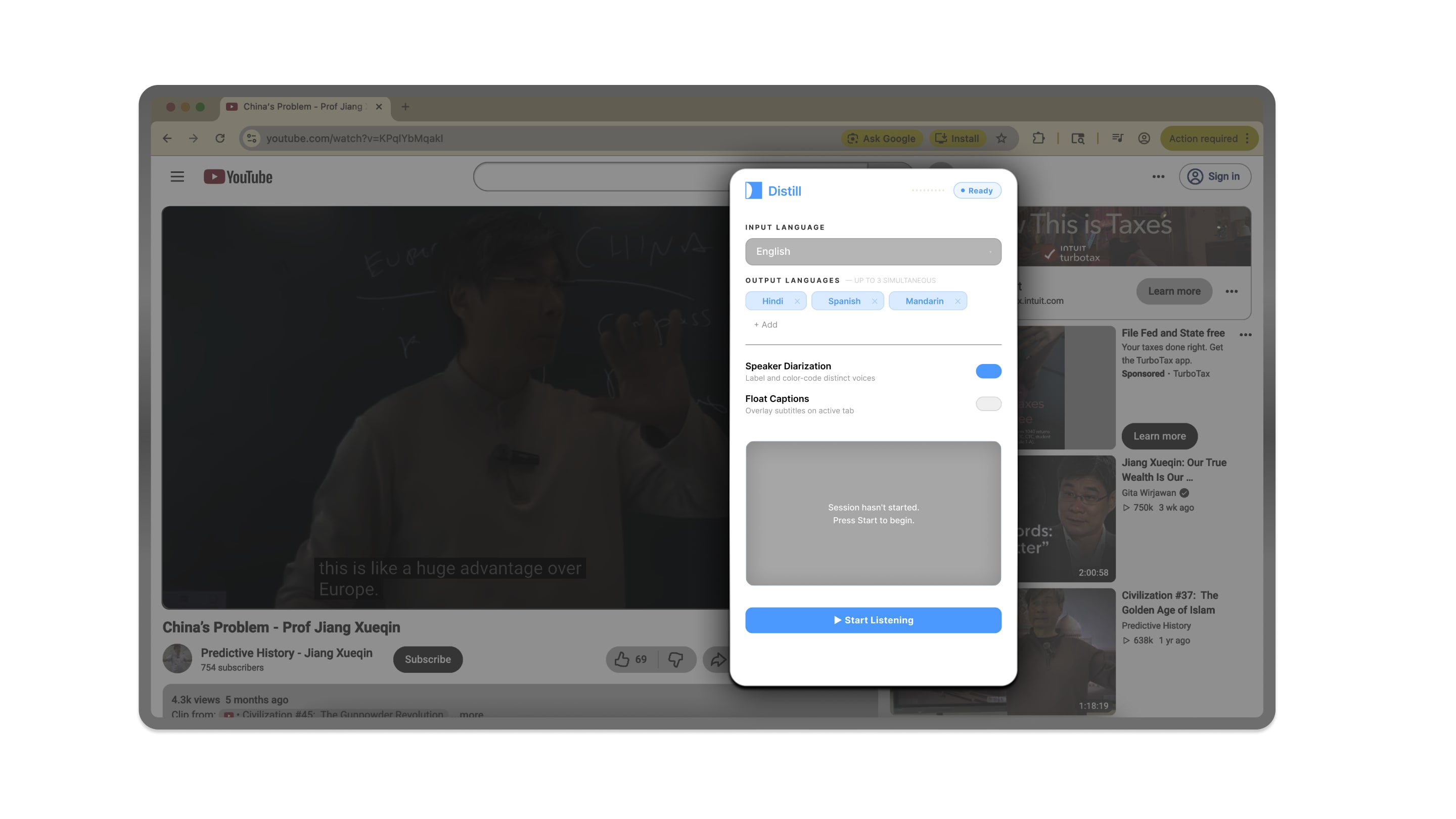
A Chrome extension does not get its own screen. It sits on top of a page somebody else designed. One wrong layout decision and it covers the video, hides the controls, or pushes the whole page sideways.
So before drawing a single screen, I mapped the four places people actually watch and meet, and worked out where the panel could sit on each one without getting in the way.
Anchors below the player so it never covers the video or the controls
Sits beside the video frame and respects the multi-tile grid
Keeps clear of participant tiles so no speaker gets hidden
Adapts to both gallery and speaker view with no layout shift
(2)
With the space settled, every component had to earn its place. Input language is one clear button group. Outputs are multi-select tokens, color-coded per language, each with a quick remove. Speaker diarization and floating captions are plain on/off toggles. One blue button starts everything.
I set the type size, contrast, and spacing for reading at speed, because people use this while someone is still talking. Panels have fixed heights so the layout never jumps as new text arrives.
Multi-select outputs, color-coded so you can scan at a glance
Ride on top of any site without breaking its layout
A single action starts listening, translating, and signing
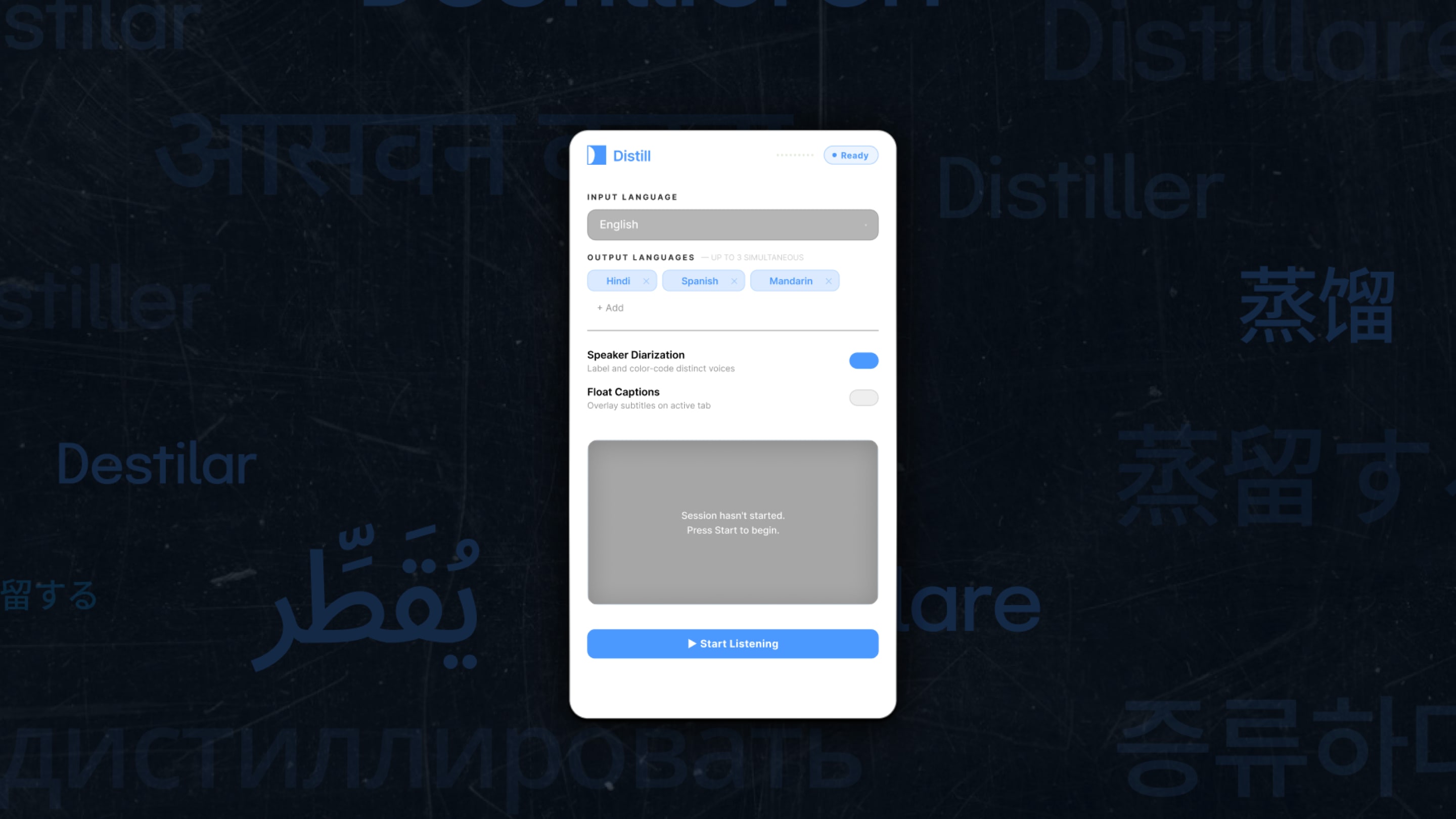
The final panel, floating over an active tab
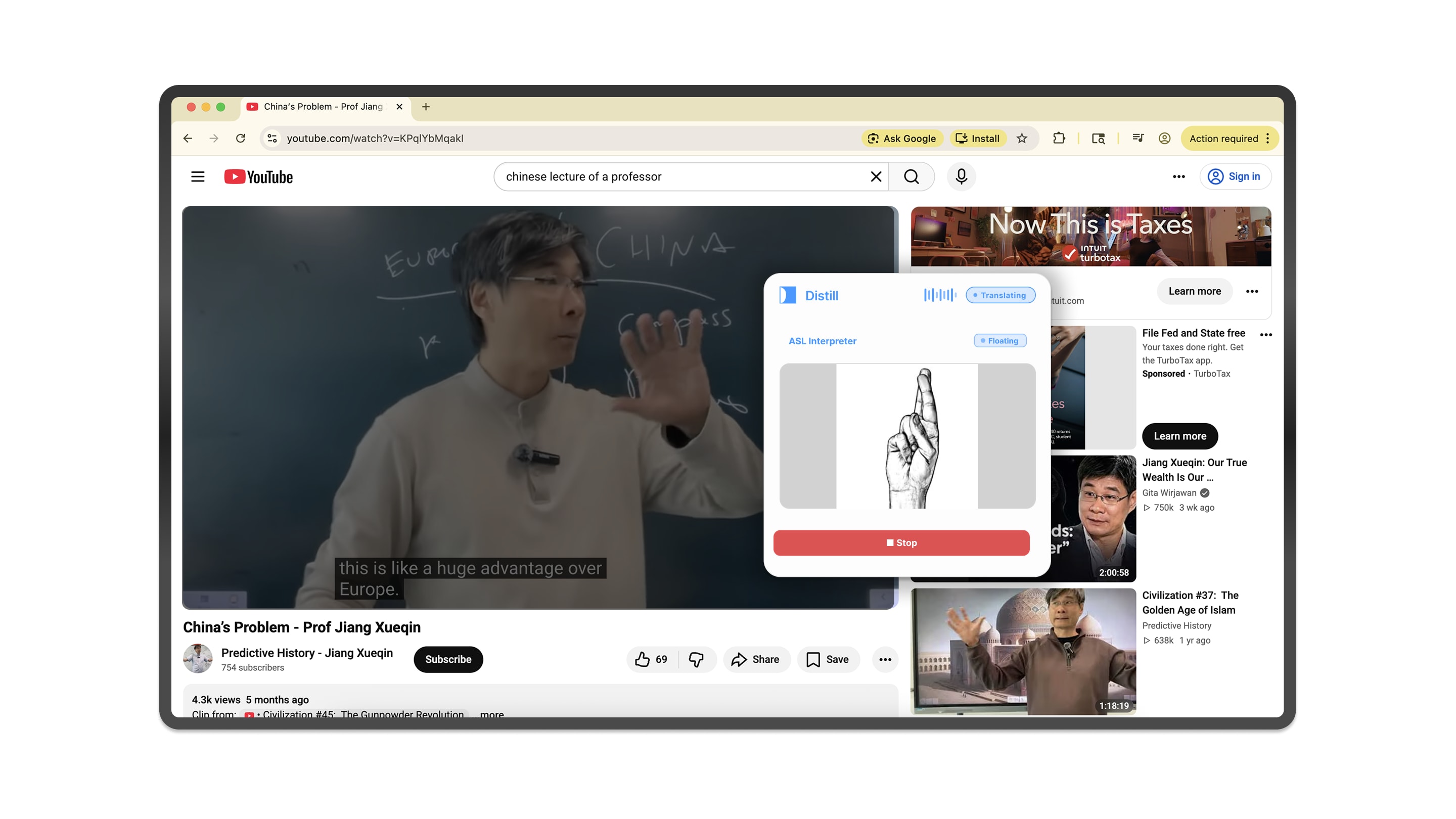
(3)
Sound goes in one end and signing comes out the other. Four steps, in order, all happening while the speaker keeps talking. A signing user and a translating user can watch the same lecture together, each getting what they need.
Live sound captured straight from the active browser tab
Speech and Translator turn it into text in 16 languages
Keeps the conversation history so context stays accurate
Tokens sync and ASL cards populate in real time
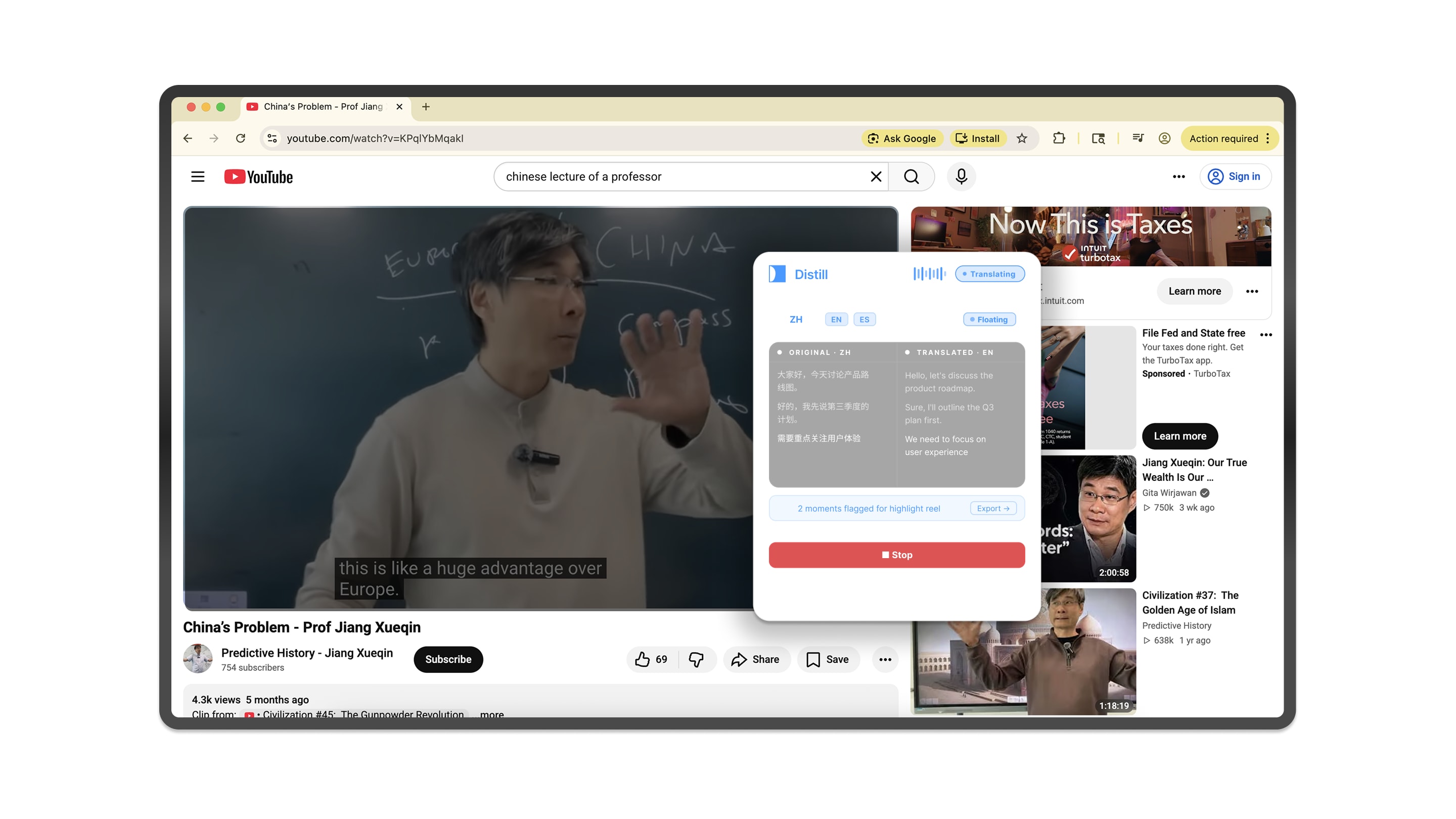
We tested it during the hackathon on a live Chinese lecture, to prove the multilingual output holds up on real speech and not just on a clean demo recording.
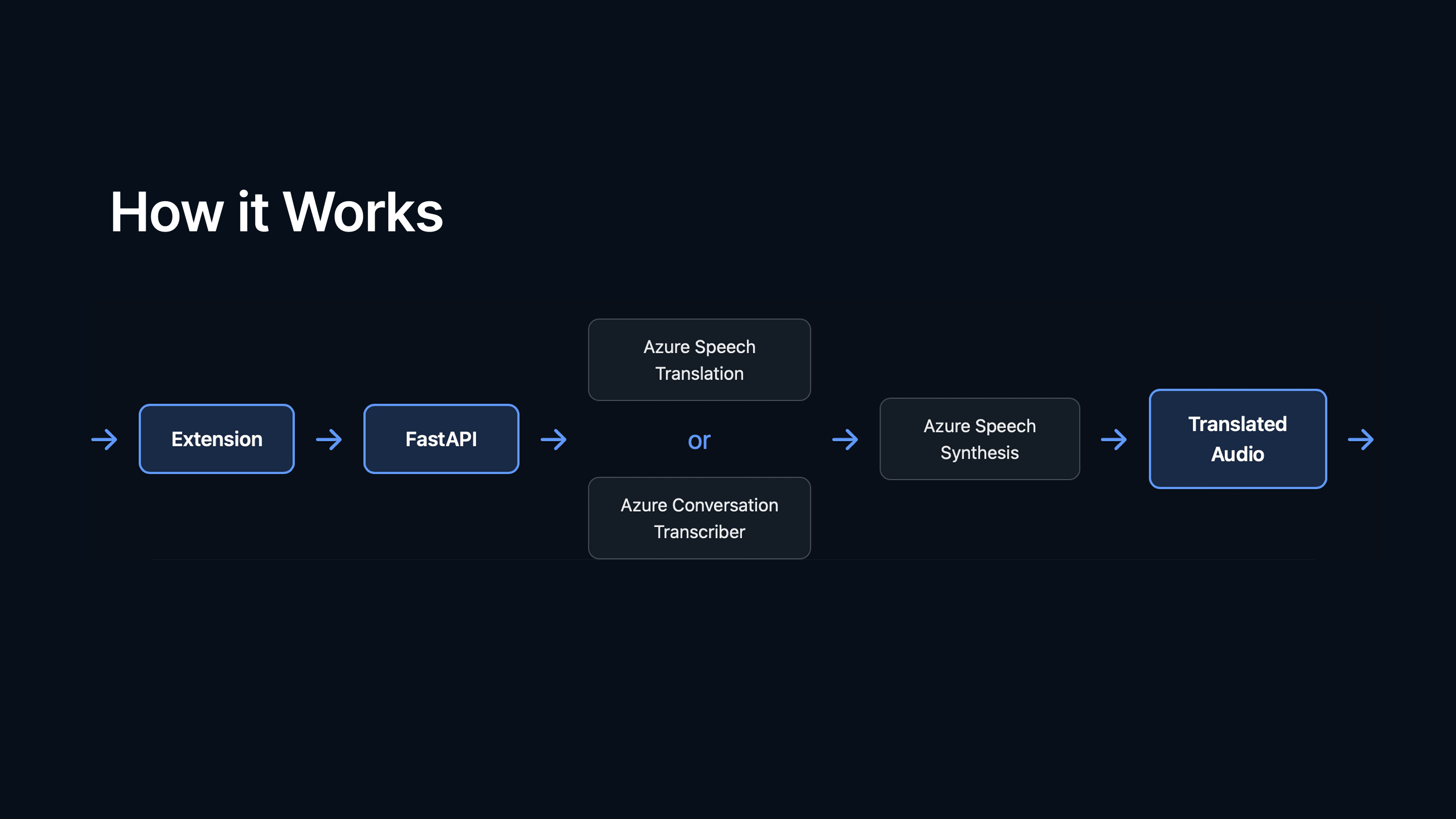
Tab audio to ASL cards, the full pipeline
(4)
No slides, no recording. We ran the extension on a real lecture in the room, with translation and ASL cards populating as the speaker talked.
(the outcome)
A full interface system and a working backend, in one weekend. Every voice heard, every language understood.
What I learned: accessibility and good design are not in conflict. Assistive products do not have to look clinical or dated. The tight space of an extension made the design better, not worse: less clutter, tighter hierarchy, cleaner states. A 36-hour sprint with one clear constraint produced sharper work than an open brief with unlimited time would have.